WEEK 1

Introduction to LLM Development

Master Prompt Engineering, API usage, and structured output to deploy your own AI Agents. Learn to control LLM parameters, unpack responses, and build powerful, dynamic applications.
Week 1 Introduction to LLM Development text on a black background with blue and white geometric shapes on the left.

In this week you'll learn all about using LLMs from programming interfaces. We'll see how to invoke LLMs using APIs and different SDKs (like OpenAIs). We'll learn how to customize the parameters of the LLM call to obtain the desired results: temperature, to max tokens and reasoning levels, among others.

We'll also learn how to unpack the responses of LLMs, including cost analysis and content choices.
In order to prepare the basics for the next weeks, we'll cover in detail Prompt Engineering with real life examples, including the ReAct pattern to create our own AI Agents.

We'll close the week with some more advanced topics like Tool Calling and Structured Output (including PyDantic models and JSON Schema), both from supported LLM providers, as also by "hacking" it with Tool calling.

Some sample projects of this week include:

- Email resume analyzer
- Your own ChatGPT Client Clone
- Template builders
- Dynamic SQL Writer
WEEK 2

Introduction to AI Agents

In this week we'll start by introducing different Python frameworks to interface with LLMs, namely LangChain and LlamaIndex.
Slide with geometric shapes on left and text reading 'Week 2 Introduction to AI Agents' on black background.

We'll explore more advanced topics like Multi-modal LLMs (including images, video and audio/voice).

Finally, we'll apply the Prompt Engineering concepts from the previous week (Chain of Thought and ReAct) to start building our own agents.

Some sample projects of this week include:

-  Customer Support agent
- Code Executing Agent
- Product Catalog Agent
- Automatic Pull Request Fixer agent
WEEK 3

Avanced AI Agents

This week will explore more advanced frameworks to create agents, like LangChain and Langraph and CrewAI.

We'll create some basic agents using the ReAct pattern, to finally create advanced workflows including: middlewares, Memory, Human in the Loop and much more.

This week will challenge you to apply all the previous concepts in projects that feel real, and require a lot of thinking to get right.

Some sample projects for this week include:
- Deep Research Agent
- SQL Analyst Agent
- AutoML Clone
- Claude Code Clone
WEEK 4

Semantic Search (RAG)

Go beyond basic RAG: implement advanced chunking, parallel search, Reranking, and Query Routing. Build high-performance search and recommender systems by mastering hybrid metadata querying and synthetic data.
Graphic slide titled Week 4 Semantic Search (RAG) with geometric shapes on a black background.

You've probably heard about RAG and Vector Stores. This week will go BEYOND that to also include more advanced topics, like:

- Synthetic query generation
- Parallel search
- Advanced chunking strategies
- Reranking
- Query routing
- Hybrid metadata querying
- and more...

Sample projects for this week include:
- Searching millions of Hacker News comments
- PlayStation Game Recommenders
- An improved Wikipedia search
WEEK 5

LLM Evals

Implement a scientific approach to evaluate LLM performance, latency, and correctness despite their non-deterministic nature.
Dark background slide titled 'Week 5' with heading 'LLM Evals' and abstract blue and white geometric shapes on the left.

We have learned how to prompt LLMs from our app, how to create advanced agents and incorporate Semantic Search. But, how do we know if the app works as expected?

Welcome to the world of LLM Evals. Evaluating if your application is working "Correctly" is a HUGE topic, especially given the indeterministic nature of LLMs.

This week, we'll introduce a Scientific Approach to evaluating if our LLMs app work correctly or not, and obviously keeping into consideration costs and latency.

WEEK 6

Prompt Injection and Security

Master LLM threat mitigation against Prompt Injection, model poisoning, jailbreaking, and advanced prompt exfiltration attacks.
Slide showing 'Week 6 Prompt Injection and Security' with abstract geometric shapes on a black background.

Prompt Injection is just the tip of the iceberg when it comes to vulnerabilities in LLM-based applications.

This week, we'll explore everything related to Cyber Security in our LLM applications, including model poisoning, model and prompt exfiltration, jailbreaking and other types of attack.

We'll also relate it to our LLM Evals and our Agents, to make sure we have predictable secure applications.

WEEK 7

MCP Servers

Build your own secure, authenticated Multi-Cloud Platform (MCP) servers and connect them directly to your AI Agents.
Slide title with text 'Week 7 MCP Servers' and geometric shapes on left side.

This week we'll learn how to MCP Servers work, we'll connect them to our agents, and we'll finish by creating our OWN MCP servers, looking at best practices like User Authentication and security protocols.
WEEK 8

Capstone Project

Design and execute your final Capstone Project, submit for official review, and earn your AI Professional Certification.
Week 8 Capstone Projects text with geometric shapes on left and two yellow stars on dark background.

This final week will require you to finish your Capstone Project. You'll work closely with DataWars staff to decide what to work on and you'll have the entire week to put your idea into practice.

After you're done with your capstone project, you can submit ti for official review, and we'll grant you our AI Professional Certification.

Free with your DataWars subscription
or one time payment
$249

Your Learning Experience

Hands-on Projects

Learn all the topics by solving
real world challenges and projects.
All the libraries and tools are installed,
all the credentials provided.

Structured 8-Week Schedule

Immerse yourself in Paced Learning.
Each week a new set of lessons
and projects are released. No hustle.
Make the most out of your time.

Expert-Guided Instruction

Each week we release Lessons,
Sample Projects and a Capstone
Project for you to solve.
We'll guide you in the process.

Exclusive Community Access

You won't work alone. The workshop includes exclusive access to our community with other students and DataWars mentors.
Features

The Ultimate Hands-On Experience

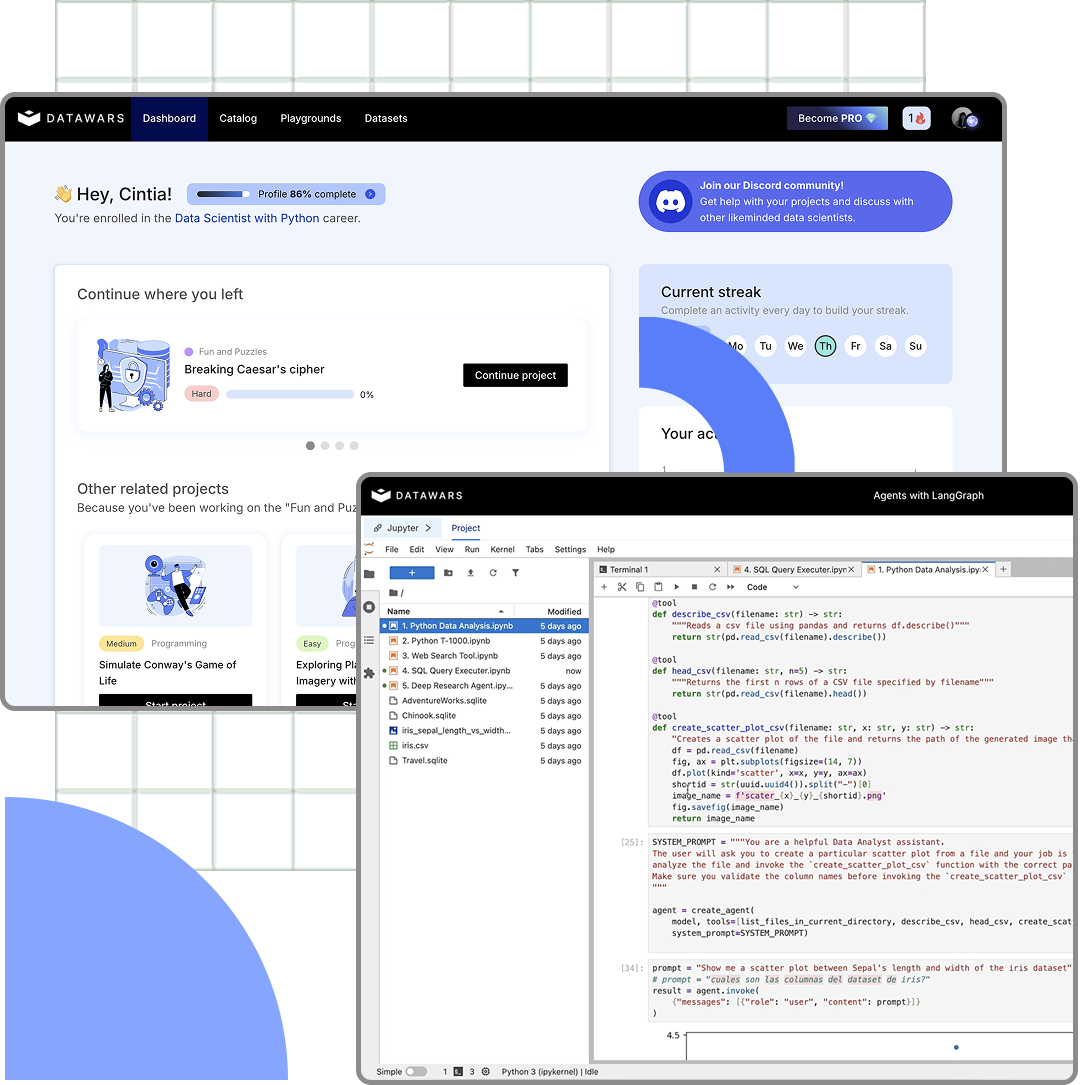
Our platform contains the project in interactive and embedded Jupyter Environments that you can access from anywhere in the world.
All the tools and libraries are already installed, and we'll provide the credentials for the services needed in each project.

No hustle. Just get to work.

Hands-On Approach

You'll learn by solving real life projects and challenges with a practice-first approach. Forget passive learning. Embrace Active Learning.

Expert-Guided

Our workshop is designed to keep a steady pace during the 8 weeks, helping you focus on the topics of each week, and simplifying your learning.
Dashboard mockup
Our projects

Contents covered during the workshop

January 17
Week 1 Introduction to LLM Development text on a black background with blue and white geometric shapes on the left.

Introduction to LLM Development

Get started with LLM Development connecting to models' APIs and SDKs. Learn about Tool Calling, Structured Output, Prompt Engineering and more.
View More
January 24
Slide with geometric shapes on left and text reading 'Week 2 Introduction to AI Agents' on black background.

Introduction to AI Agents

An introduction to AI Agents including ReAct pattern, reasoning, multi-modality and more.
View More
January 31
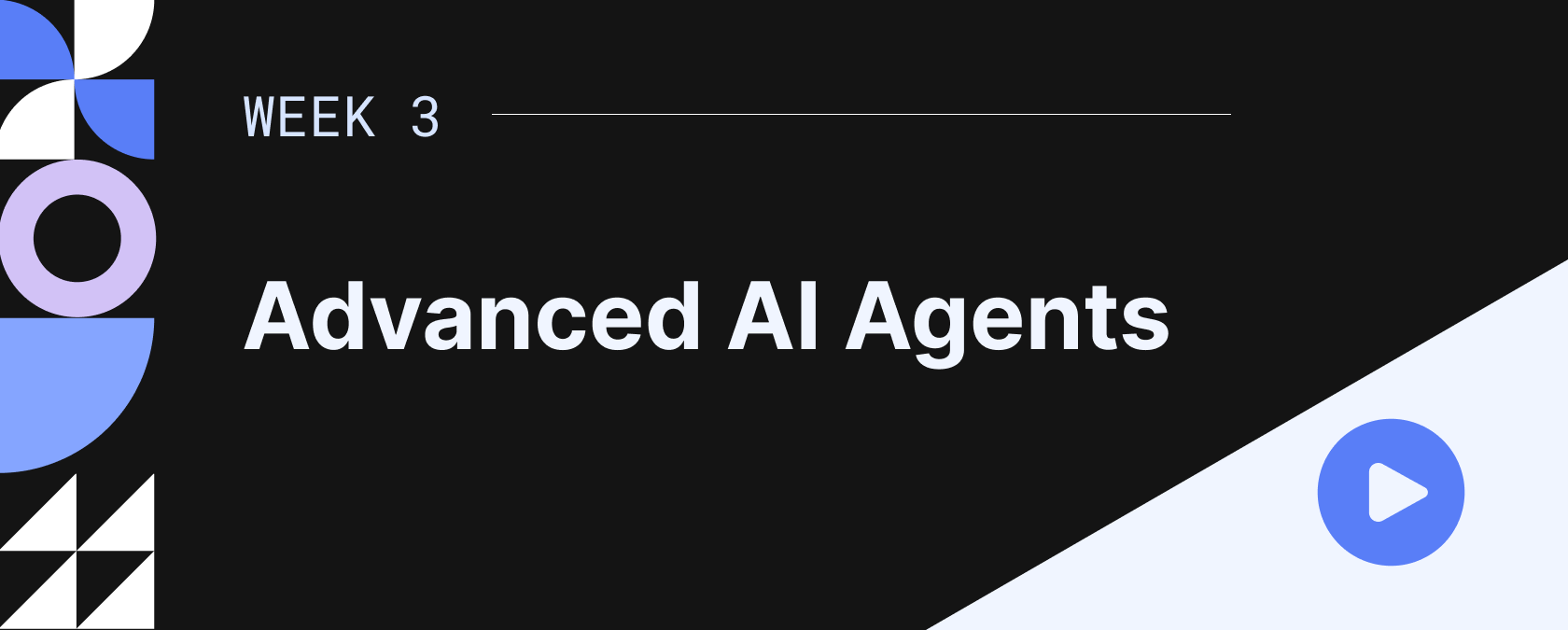
Slide titled 'Week 3 Advanced AI Agents' with abstract blue, white, and black geometric shapes and a blue play button icon.

Advanced AI Agents

This week will explore more advanced frameworks to create agents, like LangChain and Langraph and CrewAI.
Preview
February 7
Graphic slide titled Week 4 Semantic Search (RAG) with geometric shapes on a black background.

Semantic Search (RAG)

Go beyond basic RAG: implement advanced chunking, parallel search, Reranking, and Query Routing. Build high-performance search and recommender systems by mastering hybrid meta...
View More
February 14
Dark background slide titled 'Week 5' with heading 'LLM Evals' and abstract blue and white geometric shapes on the left.

LLM Evals

Implement a scientific approach to evaluate LLM performance, latency, and correctness despite their non-deterministic nature.
View More
February 21
Slide showing 'Week 6 Prompt Injection and Security' with abstract geometric shapes on a black background.

Prompt Injection and Security

Master LLM threat mitigation against Prompt Injection, model poisoning, jailbreaking, and advanced prompt exfiltration attacks.
View More
February 28
Slide title with text 'Week 7 MCP Servers' and geometric shapes on left side.

MCP Servers

Build your own secure, authenticated Multi-Cloud Platform (MCP) servers and connect them directly to your AI Agents.
View More
March 7
Week 8 Capstone Projects text with geometric shapes on left and two yellow stars on dark background.

Capstone Project ⭐

Design and execute your final Capstone Project, submit for official review, and earn your AI Professional Certification.

View More
Pricing

Flexible and Affordable Pricing

The workshop is Free for any Yearly DataWars subscriber. Or, if you prefer the one time option, you can pay separately only for the worksop.

For DataWars Yearly Subscribers

Free

One Time Payment

$249

Professional AI Developer Certification

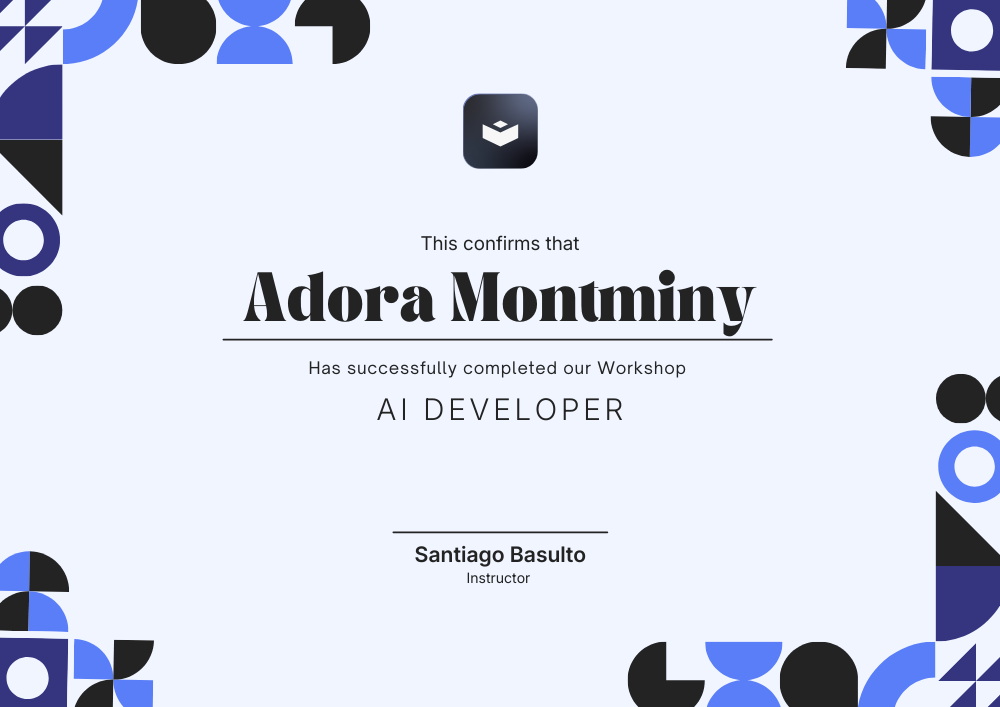
At the end of the program you'll qualify for our newly released Professional AI Developer Certification. A team from DataWars will review your projects and grant you our exclusive certification to demonstrate your skills to the world.
Certificate of completion
Our Partners

+$500 Tool Credit Included

We have partnered with multiple Model Providers and services to give you access to their services and tools for free. You'll receive the credentials needed for each project or the vouchers to redeem them yourself.
Integration iconIntegration iconIntegration icon
Support

FAQs

Everything you need to know about this workshop. Can’t find the answer you’re looking for? Please chat to our team.
How does this work?
Our workshop is designed as a week-by-week experience where you progressively learn and apply new concepts. Each week (released on Saturdays) you’ll get a new Project to complete. That project includes video lessons covering all the required topics for that week, plus multiple sample projects for practice. Typically, you’ll spend about 50% of the time consuming the content and solving simple exercises, and the other 50% completing the main project.
Why do I have to apply?
In short: limited spots. First come, first served. This is the first edition of our workshop, and we’ve put a lot of work into getting it right. To ensure we can provide the best experience for everyone, we’re capping the number of available seats. This allows us to properly support students and offer personalized help.
How does pricing work?
There are two options. If you’re a DataWars Yearly subscriber, you can apply for free. If you prefer a one-time payment, the price is $249.
What are the criteria to select my application?
None. We simply accept the first students who confirm their participation and complete payment until we reach the cap. We assume that if you’re applying, you meet the minimum programming skills required.
What tools do I need to download, or what setup is required?
None! The entire workshop runs on the DataWars platform, where all libraries are pre-installed in our interactive projects.
Will I have access to the projects and content after the workshop is finished?
Yes. You’ll retain access to all the projects so you can continue practicing or building your portfolio after the workshop ends.
What are the requirements to participate?
Minimum programming skills. Ideally some background in Machine Learning, although it’s not strictly required. We also assume you have basic familiarity with Generative AI and have used tools like ChatGPT, Gemini, or Claude before.
How many hours per week should participants realistically expect to invest (lessons + projects)?
In short: about 6 hours per week. The projects include a “base required” portion that shouldn’t take more than ~4 hours, plus lots of optional extension topics. Understanding the concepts and going through the content should take another ~2 hours. If you have extra time, you can explore the optional project sections.
What’s required to get the certificate?
You’ll submit your Capstone Project at the end of the program. A DataWars team will evaluate it and grant your certificate. You may be asked to answer follow-up questions to qualify.
I have more questions — can I contact you?
Absolutely. Reach out at support@datawars.io
Can I enroll late? What happens if I fall behind?
You can enroll anytime! If you join during Week 3, you’ll get access to all three weeks immediately. And if you fall behind, you can continue at your own pace until the next edition starts.